
Unwanted reflections
Open channel
Depending on the dimensions of the water channel in which the SQ sensor is installed in, unwanted reflections may occur and distort the velocity spectrum. Such reflections can be detected by looking at a recorded velocity spectrum as shown in the following example:
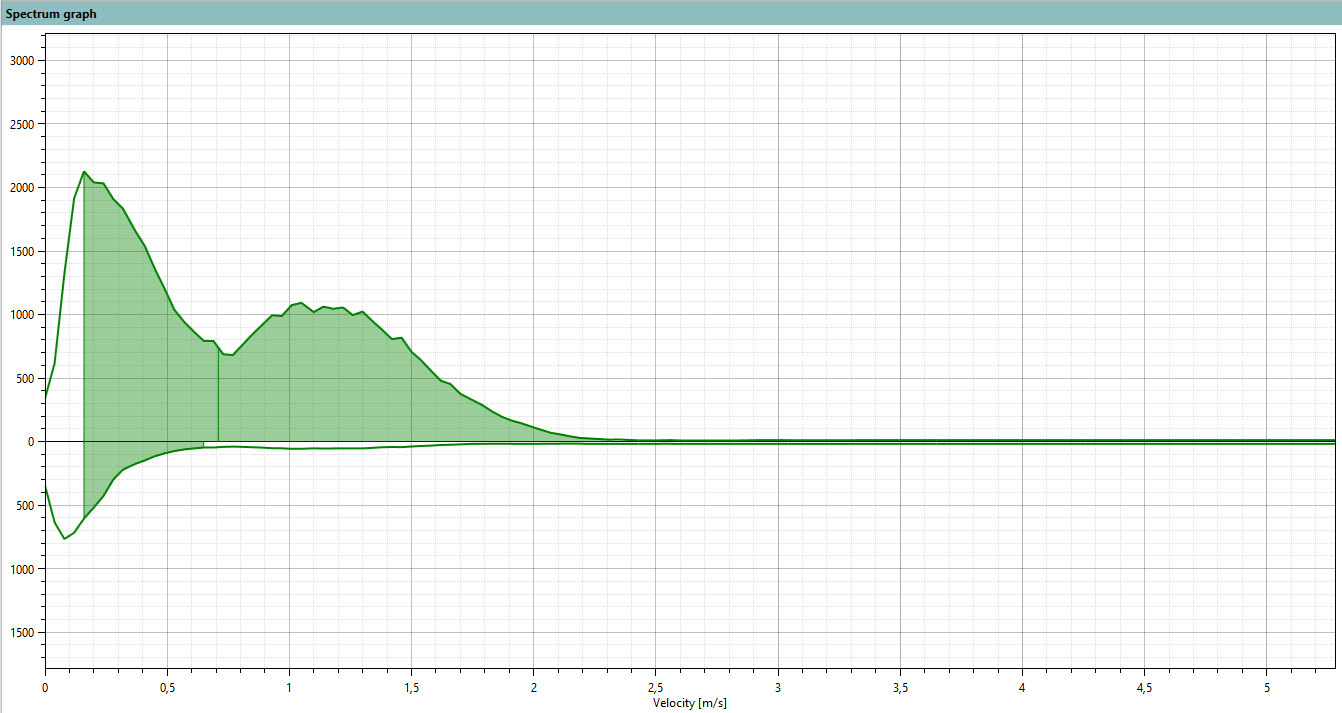
Figure 1 Velocity spectrum containing unwanted reflections
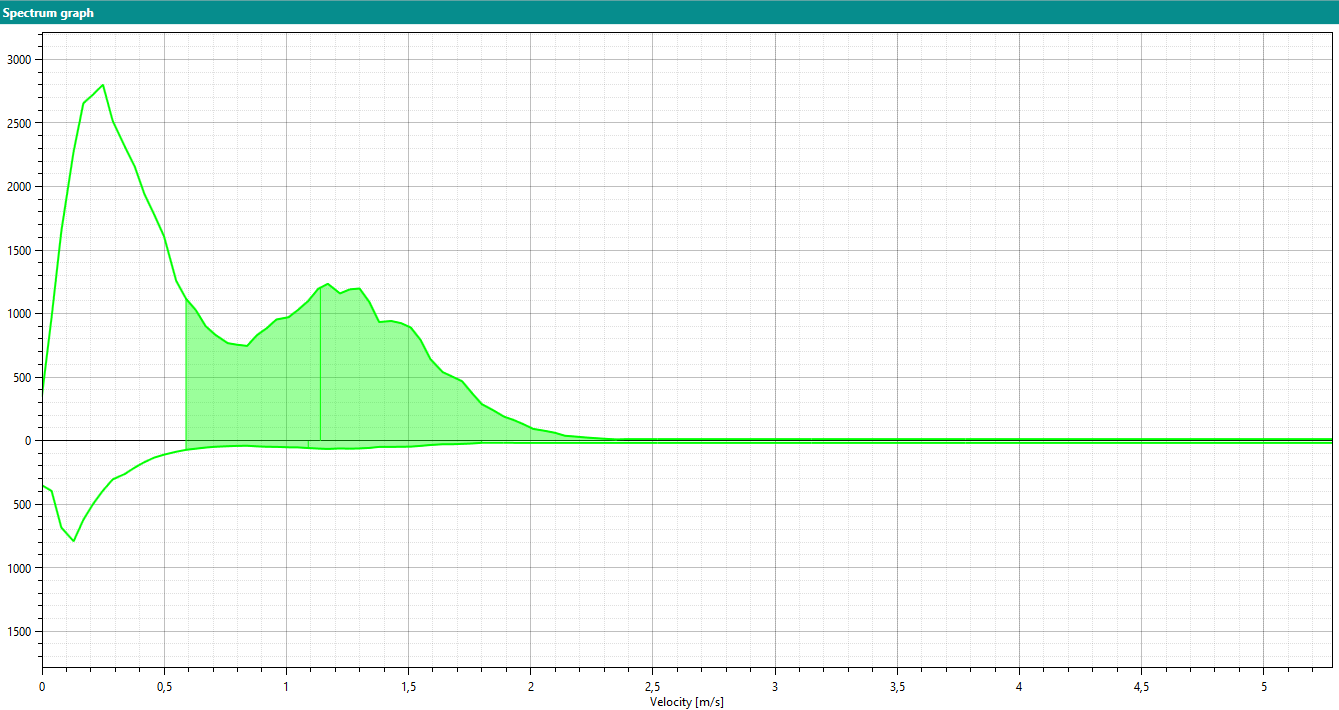
Figure 2 Velocity spectrum with adjusted minimum velocity
In the spectrum of Figure 1 two peaks can be observed: The first at approximately 0.15 m/s and the second at approx. 1.2 m/s. The shaded area is considered by the implemented algorithm to calculate the flow velocity. In this example the sensor determined a velocity of 0.71 m/s.
A second, independent measurement at the site revealed a flow velocity of 1.1 … 1.2 m/s. The discrepancy between these two results can be attributed to reflections on the channel wall, which caused a secondary peak in the spectrum at 0.15 m/s.
This means the first peak in the spectrum (at 0.15 m/s) is caused by an unwanted reflection in the channel where the SQ is installed. The result is that the algorithm implemented in the SQ is not able to determine the correct velocity. Due to the low velocity of the first peak the determined (and output-ted) velocity is lower than the real velocity:
To suppress this undesired behavior the setting Minimum velocity has to be set to a velocity higher than that of the first peak. shows the result of this procedure: The first peak is not shaded anymore, meaning it is not considered for the velocity calculation. Only the second peak is used by the algorithm and the calculated flow velocity of 1.15 m/s is in agreement with the velocity of the comparison measurement.
Closed channel
The example described above is valid for open channels only. If the SQ sensor is applied in a closed channel and the configuration Channel type is set to closed the first peak in the velocity spectrum is ignored. This peak results from reflections at the channel wall is removed before the velocity calculation.