
How to activate mobile communication
For remote communication with the MRL-7 and regular data transmission, mobile communication needs to be activated. Follow the steps below for configuration:
ATTENTION Make sure your SIM card is activated, your mobile data contract is valid and your data credit is sufficient!
TIP Deactivate the SIM-pin with your mobile phone!
- Insert the SIM card as described in How to insert the SIM card.
- Connect an antenna to the MRL-7.
- Power the MRL-7, connect it to Commander and download the parameter file (see RS-232 using an USB converter for details).
- In the menu Modem set Operation to on.
-
Enter the pin of your SIM card, or -1 if you have deactivated the SIM-pin.
-
Enter the APN information in the menu Modem config. This information is available from the Commander menu shown below or your mobile provider.
TIPClick Select APN in the Special commands section of the Commander and select the APN information of your provider!
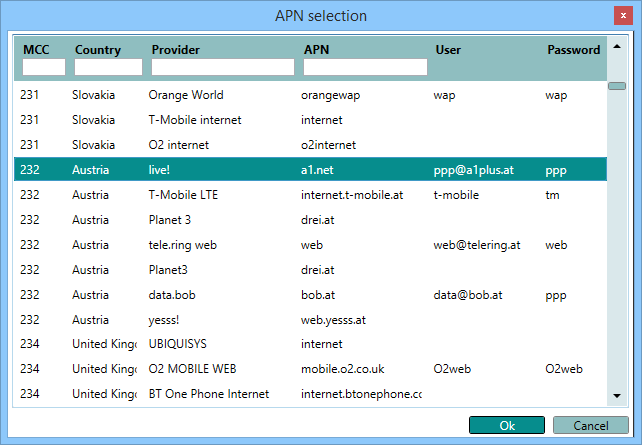
NOTE Please note, that some provides do not require a username and password!
-
In the menu Remote config set Standby, start time to 00:00:00 and Standby, duration to 23:59:50. This enables permanent access to the MRL-7.
- Click Upload modified parameters to device to write the settings to the MRL-7.
- Wait about one minute until the modem has been initialized.
-
In the menu Special functions click Device status. If all modem settings are correct the assigned IP-address is displayed in a pop-up window.
