How to activate mixing control
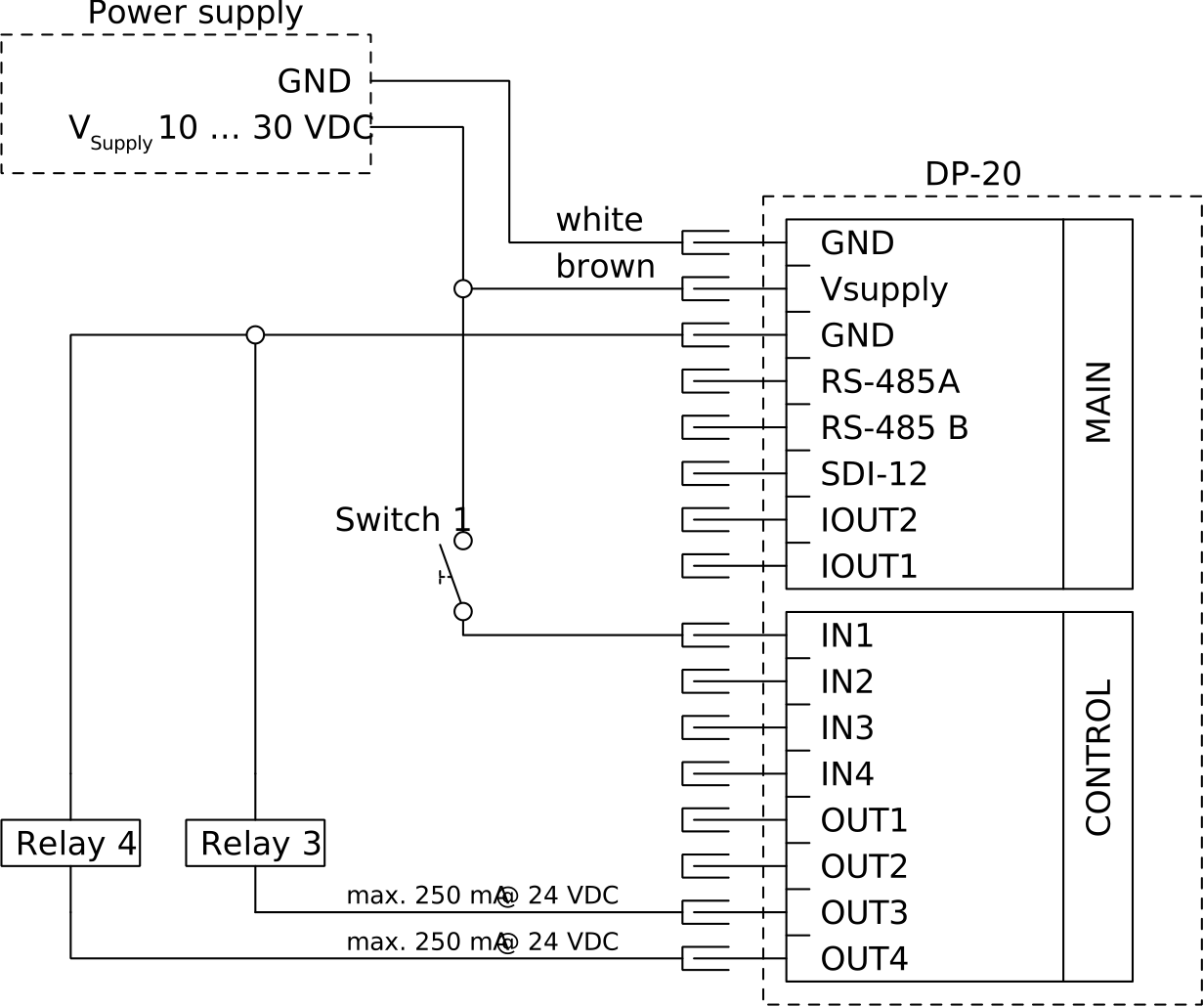
- For easy operation, wire a switch to the IN1 input of the CONTROL connector as illustrated below. By closing the switch the DP-20 activates the mixing control.
- Add two control relays to the switch outputs OUT1 and OUT2. These relays switch your medium flows by solenoid valves, operating relays, etc.
- Open the parameter menu in the Commander and adapt the controller settings in the sub menu Technics > Mixer controller.
- In the sub menu Medium settings enter the set point of the required solute concentration.
-
After all equipment has been installed and wired properly close the switch and check if the solute concentration reaches the set point in due time. if required, adjust the controller settings.
The mixing control can also be activated by writing 1 to the Modbus holding register address 102. To deactivate write 2.